


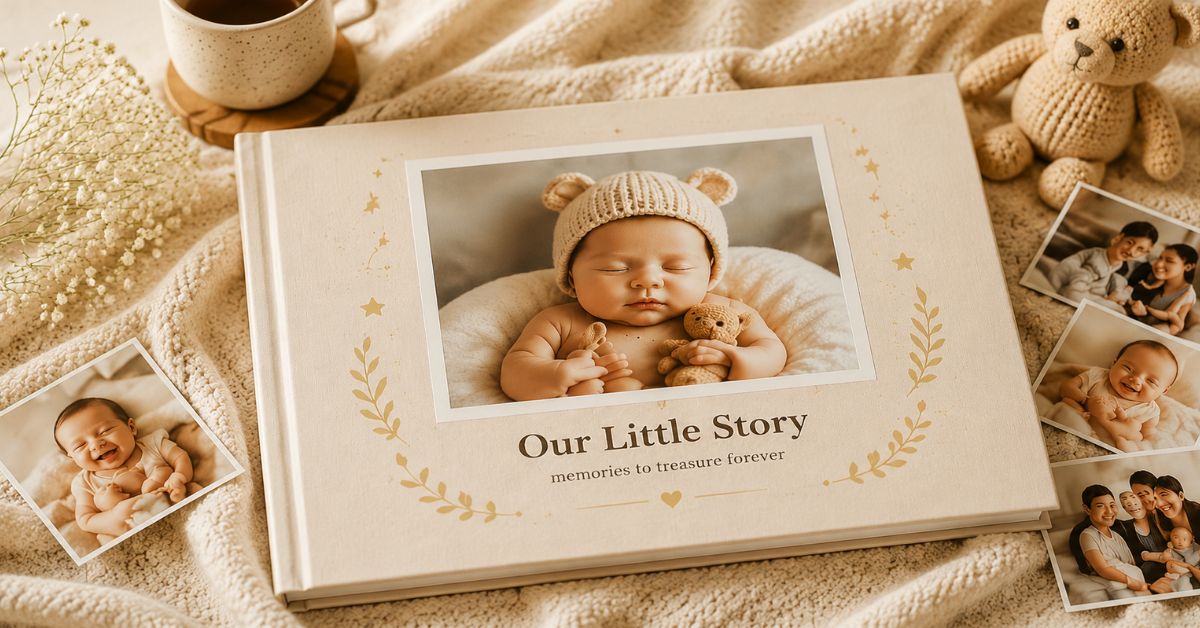


A complete guide for Indian parents — from choosing your theme to holding the finished book in your hands.
There is something irreplaceable about holding your memories in your hands. While thousands of baby photos live on phones, WhatsApp chats, and cloud storage, they are quietly forgotten over time as new moments take their place. A printed baby photobook transforms those fleeting moments into a lasting keepsake — bringing together your baby’s milestones, family memories, and everyday firsts in a format that can be shared and treasured for generations.
From pregnancy photos and newborn portraits to first smiles, first birthdays, and family adventures, a baby book tells the story of your child’s early years in a way that digital albums simply cannot. With thoughtful photo selection, meaningful captions, and a consistent design, you can create a beautiful baby photobook that your family will return to for decades. At Photojaanic India, you can design and print a personalised baby photobook entirely online — starting from just ₹99 — with premium lustre silk paper, hardcover and softcover options, and ready-made baby themes to get you started instantly.
This guide walks you through every step of designing a baby photo book that is both deeply personal and timelessly beautiful.
Table of Contents
- Step 1: Choose a Theme Before You Open Any Design Tool
- Step 2: Plan Your Layout Before You Place a Single Photo
- Step 3: Curate Your Photos Ruthlessly
- Step 4: Use Backgrounds and Decorative Elements with Restraint
- Step 5: Design a Cover That Earns Its Place
- Step 6: Preview Your Baby Photobook Carefully Before Ordering
- Final Thoughts
- Frequently Asked Questions
Step 1: Choose a Theme Before You Open Any Design Tool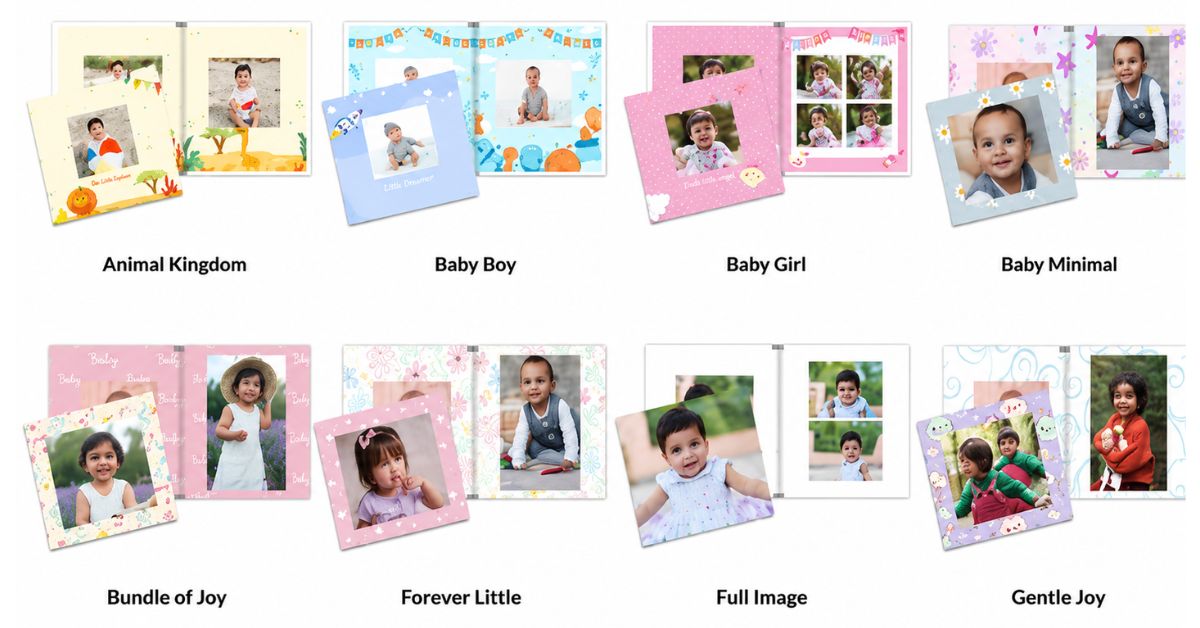
The single biggest mistake Indian parents make when starting a baby book is jumping straight into layout before deciding on a look and feel. An hour later they have six pages that look nothing like each other, a growing sense of overwhelm, and a half-finished project they will probably never complete.
Start with a mood instead. Ask yourself: what feeling do I want someone to have when they hold this book? Warm and nostalgic? Clean and modern? Playful and colourful? Soft and dreamy? The answer to that question is your theme — and everything flows from it: fonts, colours, backgrounds, and photo choices.
Photojaanic offers a range of baby-specific themes designed for exactly this moment. The Baby Boy theme uses calming blue hues perfect for capturing your son’s first year. The Baby Girl theme uses a sweet pink-toned layout ideal for newborn moments and monthly milestones. The Dreamy Clouds theme uses soft pastels and whimsical elements for a bedtime storybook feel. The Animal Kingdom theme brings in vibrant jungle colours perfect for playful toddler albums. Or choose Design Your Own for complete creative freedom — upload your photos, add custom text, and personalise every page.
A unified theme helps your photos stand out, makes the book easier to read, and ensures every page feels connected to the next. The goal is not to use every design element available. It is to create a beautiful keepsake where the memories remain the focus.
Simplicity and consistency create the most timeless baby books.
Step 2: Plan Your Layout Before You Place a Single Photo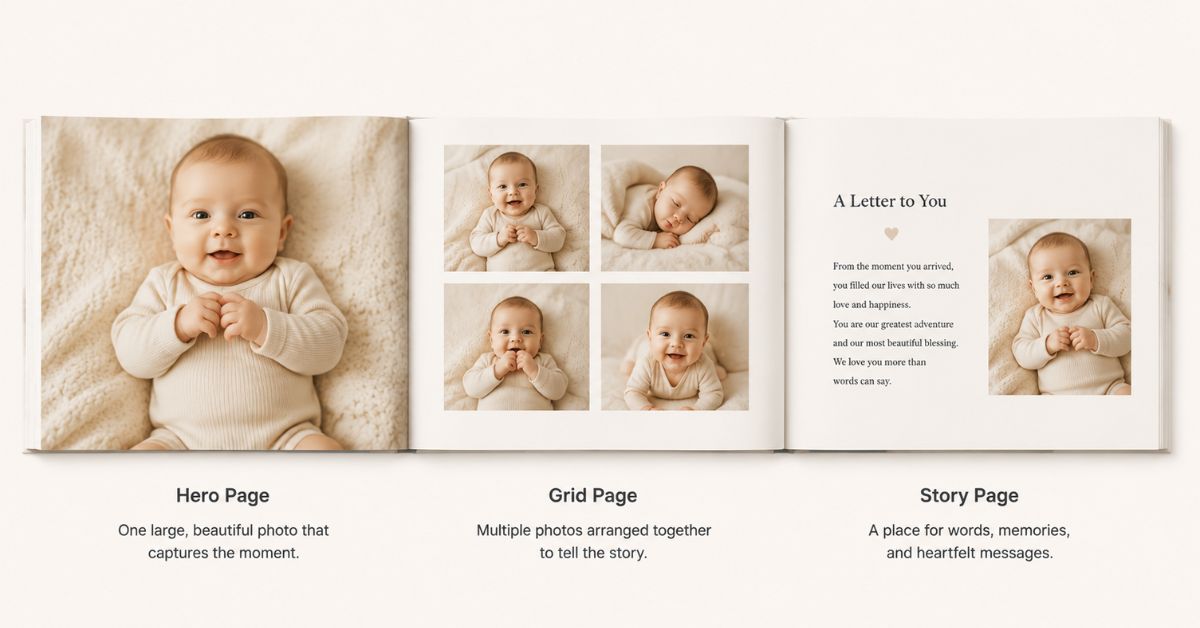
Layout is the invisible architecture of a great baby photobook. When it works, nobody notices it. When it does not, every page feels slightly off and no one can explain why.
Think in terms of three page types and rotate between them throughout the book:
The Hero Page — one large, beautiful photo that fills most or all of the spread, with minimal text. These are your statement moments: the first time you held your baby, the sleeping face at two in the morning, the portrait from the newborn shoot. If you have done a dedicated newborn photoshoot at home, your best frame from that session deserves a full hero spread.
The Grid Page — two or three photos arranged together, perhaps with a short caption or a paragraph of text. These carry the narrative forward. Monthly milestone comparisons, bath time sequences, and 6-month baby photoshoot series work beautifully on grid pages.
The Story Page — mostly text, perhaps with one small photo or no photo at all. A letter to your child. A list of small observations from the early weeks. The foods they loved, the songs that put them to sleep, the way they laughed. A memory you want to make sure is never forgotten.
The pacing between these three types matters enormously. Do not place all your hero photos back to back. A quiet story page between two busy photo spreads gives the reader room to breathe — and makes the photos around it feel more significant. Aim for roughly one story page for every four to five photo pages.
Step 3: Curate Your Photos Ruthlessly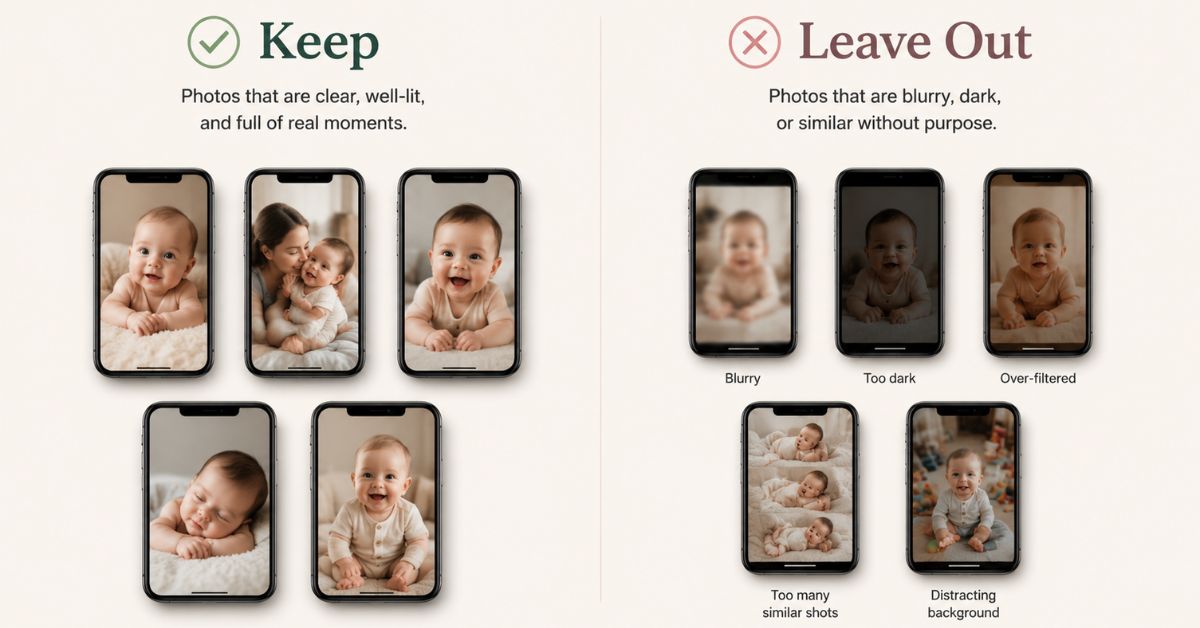
This is the step most parents skip, and the one that makes the biggest difference to the finished book.
Before you open the Photojaanic designer, go through every photo you are considering and edit the selection down hard. A baby photobook with forty exceptional photos is a treasure. A baby photobook with two hundred average photos is exhausting to look at and even harder to design.
The photos worth keeping:
- Candid, unposed moments where something real is happening
- Close-ups of tiny hands, sleeping faces, and curled-up toes
- The particular way the light fell on a Tuesday morning in March
- Milestone firsts — first bath, first time outdoors, first real smile, first steps
- Emotional portraits where the feeling is clearly visible
- Family moments — grandparents meeting the baby for the first time, siblings, pet interactions
The photos worth leaving out:
- Blurry, dark, or out-of-focus images
- Seven near-identical shots of the same pose — keep the best one
- Heavily filtered social media versions — print reveals processing in a way screens never do, and an over-filtered image often looks far worse in a book than it did on Instagram
- Screenshots of digital photos, which print at low resolution
Need inspiration for what to capture before you design? Photojaanic’s guide on baby’s first year keepsakes and milestone ideas is an excellent starting resource for Indian families documenting their baby’s journey.
Once your selection is complete, sort your photos into chapters before you begin designing — by month, by milestone, or by theme. Having that structure in place before you start makes every design decision faster, clearer, and easier.
Step 4: Use Backgrounds and Decorative Elements with Restraint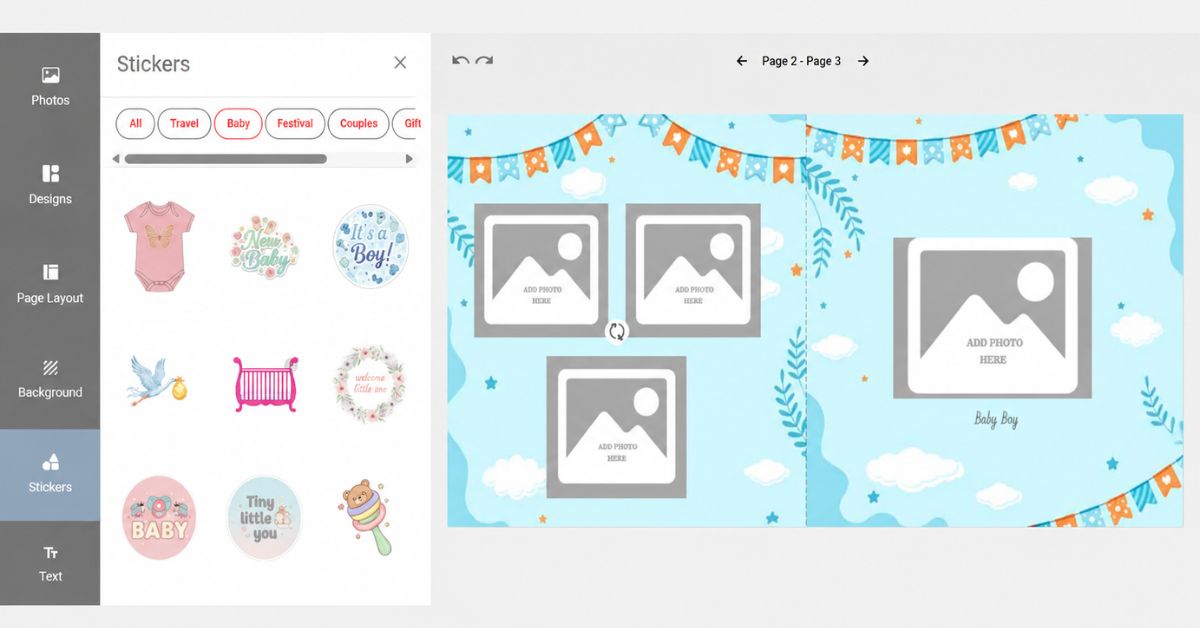
When designing a baby photobook, the photos should always be the main focus. Backgrounds, stickers, and decorative elements should enhance your memories — not distract from them.
For backgrounds, simple options work best. Solid colours, soft tones, and subtle textures create a clean, timeless look while allowing your photos to stand out. Avoid overly busy backgrounds, especially behind detailed photos, as they make pages feel cluttered and visually difficult to read.
Adding a single accent page in a contrasting colour — used sparingly — creates visual variety and helps highlight important moments or milestones. A deep navy page to mark the first birthday spread. A warm blush page for the newborn section. These accents make certain memories feel even more special without overwhelming the overall design.
Decorative elements such as stickers, illustrated borders, and frames can add genuine charm to your book, but moderation is essential. A few thoughtfully placed embellishments make a page feel warm and complete. Too many make it feel chaotic and take attention away from the photographs themselves.
If you plan to place text over a photo, always ensure it remains easy to read. Choose text colours that contrast clearly with the image underneath, or place captions in a separate text box beside the photo rather than on top of it.
A simple rule to follow: if a decoration draws more attention than the photo, it is time to simplify.
Step 5: Design a Cover That Earns Its Place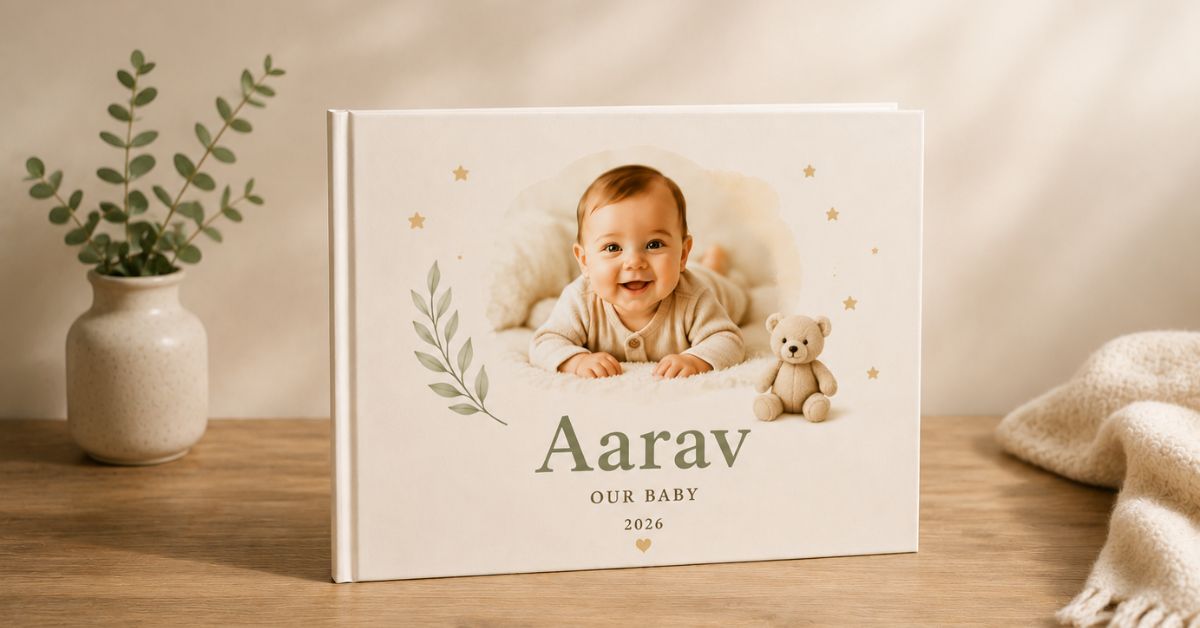
The cover is the first thing someone sees and the last thing they remember. It deserves more time and attention than any single interior page.
A strong baby photobook cover has four elements:
- One hero image — a single beautiful photo that establishes the mood immediately. A close-up portrait. A joyful candid. A carefully composed newborn shot.
- The baby’s name displayed prominently and legibly in a font that matches the overall theme
- A short title of three to five words at most — “Arjun’s First Year,” “Our Little Miracle,” “Aanya: Month by Month”
- A small secondary detail — a birth year, a date range like “June 2025 – June 2026” — that sits quietly beneath the main title without competing with it
Do not crowd the cover. When you love all your photos, the instinct is to use several of them on the cover. Resist it. One great image, given room to breathe, is always more powerful than a collage.
Hardcover or softcover? A hardcover baby photobook is ideal for long-lasting keepsakes — premium-looking, durable, and built for years of sharing and revisiting. Photojaanic’s hardcover photobooks start from ₹499 and are printed on lustre silk paper that delivers vibrant colours and sharp detail. A softcover book is lightweight and budget-friendly, perfect if you are creating multiple copies to gift to grandparents or close family. You can explore all photo album book options, sizes, and pricing at Photojaanic India before you decide.
Step 6: Preview Your Baby Photobook Carefully Before Ordering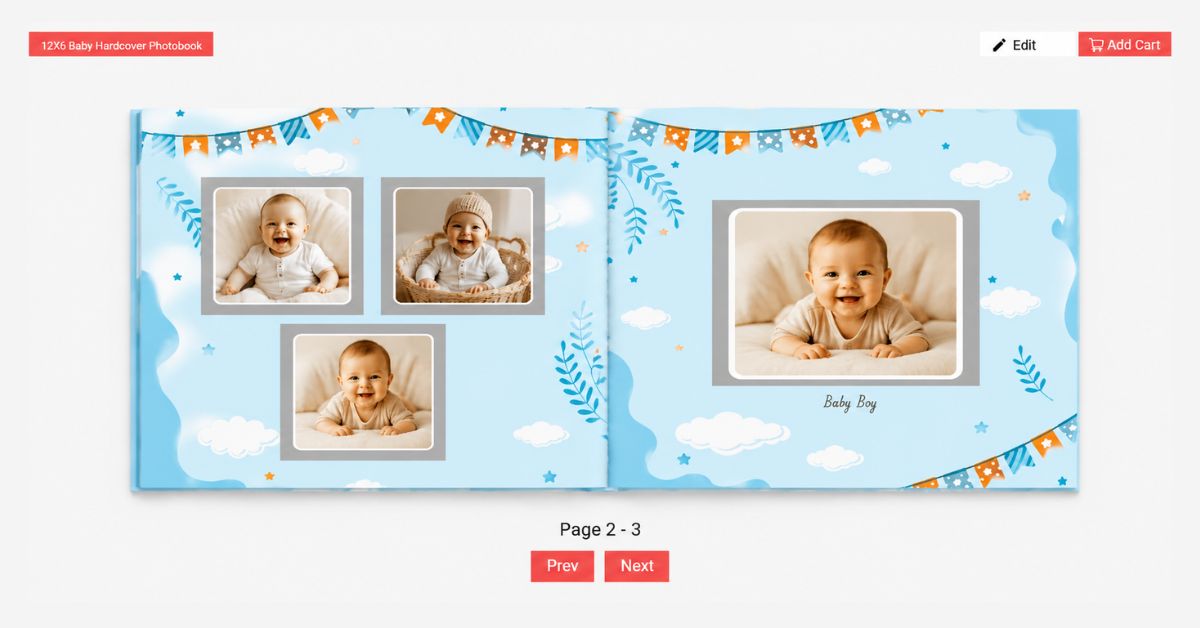
Before adding your baby photobook to the cart, take time to review every single page using the preview feature in the Photojaanic designer.
Flip through the book page by page and confirm:
- All photos are placed correctly and in the intended order
- Images are clear, sharp, and not cropped unexpectedly at the edges
- Text is free from spelling mistakes — especially names, dates, and captions
- Milestone dates and month labels are accurate
- Layouts look balanced and visually consistent throughout
- Backgrounds and decorative elements do not distract from the photographs
- The cover image, title, and name are exactly as intended
Viewing your book in preview mode shows you how it will appear when physically printed. It is far easier to spot alignment issues, missing photos, or formatting errors during a final review than it is to notice them only after the book arrives at your door.
A few extra minutes of careful previewing can make a significant difference to the quality of the finished book. Once you are completely happy with every page, you can confidently place your order — knowing your memories are ready to be printed exactly as you intended.
Final Thoughts
A baby photobook is not a design project. It is a love letter written in photographs and words, formatted to survive the decades.
The design matters because a beautiful container makes the contents feel valued. But the design is never the point. The point is the sleeping face at two in the morning. The tiny fist wrapped around an adult finger. The first time your baby heard music and looked surprised. The particular light of that particular afternoon in that particular room. The words you wrote down because you wanted to make sure you never forgot — and because one day, your child might want to know.
Start simple. Finish the thing. Order the proof. Hold it in your hands.
Ready to begin? Create your personalised baby photobook at Photojaanic India — with themes, templates, and premium printing designed for Indian families. Starting from ₹99.
Frequently Asked Questions
How many pages should a baby photobook have? A baby photobook works best with 40–80 pages. This gives you enough space to include photos, milestone notes, stories, and family memories without feeling overcrowded or rushed.
Can I use photos from my smartphone? Yes. Most modern smartphones take high-quality photos that print beautifully. For the best results, always use original image files rather than screenshots, WhatsApp-compressed images, or heavily filtered social media exports.
Should I choose a hardcover or softcover baby photobook? A hardcover is ideal for a keepsake baby photobook — more durable, premium in feel, and built to last. A softcover is a cost-effective option if you are ordering multiple copies to share with grandparents or family. See Photojaanic’s full guide to photo album sizes and pricing in India for a complete comparison.
Should every page include a photo? No. Mixing photos with captions, handwritten-style letters, milestone notes, and family messages creates a far more meaningful and personal baby book than a book that is all photographs. Some of the most treasured pages are the ones with words alone.
What paper is used for Photojaanic baby photobooks? Photojaanic baby photobooks are printed on premium lustre silk paper, delivering vibrant colours, sharp details, and an elegant finish that is designed to preserve your memories beautifully for years.
Do I need design experience to create a baby photobook? No. With Photojaanic’s ready-made themes, backgrounds, and drag-and-drop layouts, anyone can create a beautiful baby photobook without any design background. The most important part is the memories and stories you bring to it. If you want creative inspiration before you start, the DIY photobook guide on Photojaanic’s blog is a helpful first read.
What size baby photobook should I choose? The 6×6 inch size is Photojaanic’s most popular choice for baby albums — compact, charming, and perfectly proportioned for a keepsake. For a larger, more premium presentation, the 8×8 or 10×8 sizes give your photos more room to breathe and work especially well for first-year milestone books.




Be the first one to comment